Galaxy Z Fold 8: Bold New Foldable Era
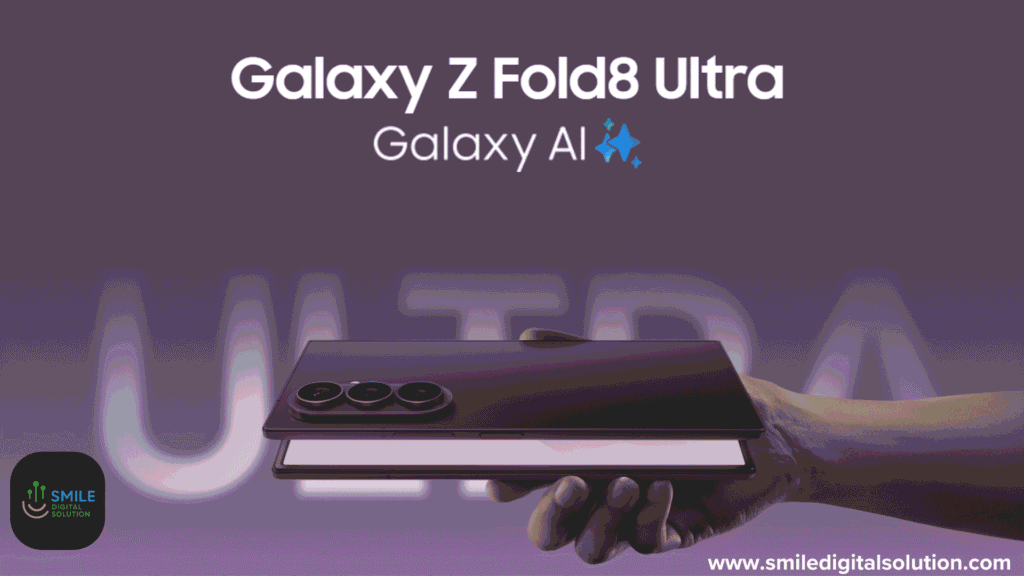
The Samsung Galaxy Z Fold 8 has officially arrived, and it’s shaking up the foldable phone game in a big way. Announced on July 22, 2026, at Samsung’s Galaxy Unpacked event in London, this isn’t just another incremental update, it’s a redesign that makes foldables feel truly practical for everyday life. If you’ve been on the fence about these book-style devices because they felt too tall, bulky, or niche, the Z Fold 8 might just win you over.
I’ve been following Samsung’s foldable journey for years, and the Z Fold 8 stands out as the first one that genuinely feels like it could replace my regular slab phone without major compromises. It’s wider and shorter when folded, with a more tablet-like inner screen that’s perfect for media and multitasking. Let’s dive deep into what makes it special, from hands-on impressions to full specs, real-world use cases, and everything in between.
Table of Contents
A Fresh Design That Finally Feels Right
One of the biggest complaints about previous Galaxy Z Folds was the tall, narrow profile when folded—it didn’t slip easily into pockets and felt awkward for one-handed use. Samsung listened. The Galaxy Z Fold 8 flips the script with a more compact, passport-style form factor.
Folded dimensions: Approximately 81.9 x 123.9 x 9.7mm, weighing a lightweight 201 grams. Unfolded: 161.4 x 123.9 x 4.5mm.
The cover screen measures 5.5 inches (WUXGA+ resolution, around 1,248 x 1,972 pixels), offering a wider, more usable experience than the tall strips on older models. Unfold it, and you get a generous 7.6-inch inner display with a near-square 4:3 aspect ratio (1,848 x 2,448 pixels). Both screens are Dynamic AMOLED 2X panels with 120Hz adaptive refresh rates (1-120Hz), HDR10+ support, and peak brightness up to 3,000 nits. That anti-reflective coating cuts glare by up to 50%, making it far better for outdoor use.
In my view (and echoed in early hands-ons), it feels like a mini iPad when open, great for comics, ebooks, or splitting the screen for notes and videos. The new Flex Titanium hinge reduces crease visibility significantly and adds durability. It’s IP48-rated for dust and water resistance, with Gorilla Glass Ceramic 3 on the cover. Colors include Lavender, Cream, Graphite, and Pistachio—subtle but premium.
Ready for a brand new upgrade? Pre-order the new #GalaxyZFold8 now.
— Samsung Mobile (@SamsungMobile) July 22, 2026
See #SpiderManBrandNewDay exclusively in Theaters July 31st! @SpiderManMovie #GalaxyAI pic.twitter.com/E4S1iIoSuk
Power Under the Hood: Performance That Keeps Up
Powering the Galaxy Z Fold 8 is the Snapdragon 8 Elite Gen 5 for Galaxy, a customized chipset with enhanced NPU, GPU, and CPU for AI tasks. Paired with 12GB or 16GB LPDDR5X RAM (16GB on the 1TB model) and storage options of 256GB, 512GB, or 1TB, it handles heavy multitasking, gaming, and video editing without breaking a sweat.
Samsung promises strong battery life with a 4,800mAh cell, larger than many predecessors. It supports 45W wired charging (Super Fast Charging 2.0), 20W wireless, and reverse wireless. Early reports suggest up to 26 hours of video playback.
Software-wise, it ships with Android 17 and One UI 9, loaded with Galaxy AI features like Call Brief, enhanced Now Nudges, and My FanCam for smart video cropping. Samsung commits to up to seven years of OS and security updates, huge for longevity.
Cameras: Dual 50MP Setup for Versatility
The rear camera system is a dual 50MP combo: a main sensor (f/1.8, OIS, dual-pixel AF) and ultrawide (f/1.9). No dedicated telephoto here (that’s on the Ultra model), but digital zoom goes up to 10x. Front cameras are 10MP on both cover and inner displays.
It excels in video with 8K@30fps, 4K@60fps, HDR10+, and Super HDR. The new My FanCam feature automatically tracks subjects and crops videos for social media, super handy for creators. Nightography remains strong, as Samsung foldables have improved dramatically in low light.
For photography enthusiasts, the wider aspect ratio makes framing more natural, and Flex mode lets you use the half-folded position as a tripod for hands-free shots.
Real-World Use: Steps to Get the Most Out of Your Galaxy Z Fold 8
Setting up and optimizing the Z Fold 8 is straightforward, but a few tips can elevate the experience:
- Initial Setup: Power on, connect to Wi-Fi, and sign into your Samsung/Google account. Enable Galaxy AI during onboarding for features like live translation and note summarization.
- Customize the Cover Screen: Go to Settings > Display > Cover Screen. Add widgets for quick glances, weather, calendar, or even run apps without unfolding. This wider screen makes it far more functional than before.
- Master Multitasking: Open an app, swipe from the side for the taskbar, and drag apps into split-screen or pop-up view. Use the 4:3 inner display for three or four apps comfortably. Pro tip: Enable “Continue apps on cover screen” for seamless transitions.
- Battery Optimization: Head to Settings > Battery > Power Saving. Use Adaptive Battery and limit background apps. With the larger capacity, most users should get a full day of heavy use (streaming, browsing, light gaming).
- Camera Workflow: Launch the camera app, switch to Flex mode for vlogging, or use dual preview to see what the rear camera sees on the cover screen, perfect for selfies with friends.
- DeX Mode: Connect to a monitor or use wirelessly for desktop-like productivity. Great for editing documents on the big inner screen.
These steps turn the hardware into a true daily driver. Internal link: Check our guide to Galaxy AI features for more tips.

Galaxy Z Fold 8 vs. Previous Models and Competitors
Compared to the Z Fold 7, the Z Fold 8 brings the new wide design, brighter screens, better hinge, and larger battery. The Z Fold 8 Ultra retains the taller form with premium cameras (200MP main, telephoto) and even bigger battery for power users.
It positions itself against upcoming rivals like a potential iPhone Fold. The compact-yet-versatile shape could appeal to those who found traditional folds too big. External link: Samsung’s official Z Fold 8 page.
Pricing starts around $1,900 for the 256GB model in the US, premium, but trade-ins and pre-order deals (announced July 22, available August 5) can sweeten it.
Who Should Buy the Galaxy Z Fold 8?
- Media lovers and multitaskers: The 4:3 screen is a joy for videos, reading, and productivity.
- Upgrade seekers from older slabs: If pocketability matters but you want tablet power occasionally.
- Creators: Flex mode and AI tools shine here.
It might not be for extreme photographers (go Ultra) or budget buyers. Battery life in heavy use will need real-world testing, but early signs are positive.
Final Thoughts: Is the Galaxy Z Fold 8 Worth It?
The Galaxy Z Fold 8 represents Samsung’s maturation of foldable tech, more refined, more usable, and genuinely exciting. It’s not perfect (foldables still carry durability questions and a high price), but the new design addresses long-standing pain points and opens the category to more people.
If you’re in the market for a premium Android device that blurs the line between phone and tablet, this is a strong contender. Pre-orders are live, with wider availability starting early August 2026. Check your local Samsung store or carrier for deals.
Last updated on July 24, 2026 at 10:20 am